1. Open the bot
Go to @apexmrkt_bot and tap Start. If the bot asks you to join the channel, join it and tap Check.
2. Top up your balance
- Tap Top up balance.
- Pick a method: USDT (TRC20, TON, BEP20 and other networks), Binance, Bybit or Telegram Stars.
- Enter the amount and send exactly the amount the bot shows to the address or ID it gives you.
- The balance updates by itself, usually within 1–3 minutes. The shop takes no fee.
With USDT the network matters. If the bot gave you a TRC20 address, send over TRC20. A transfer on the wrong network can get lost.
3. Buy the product
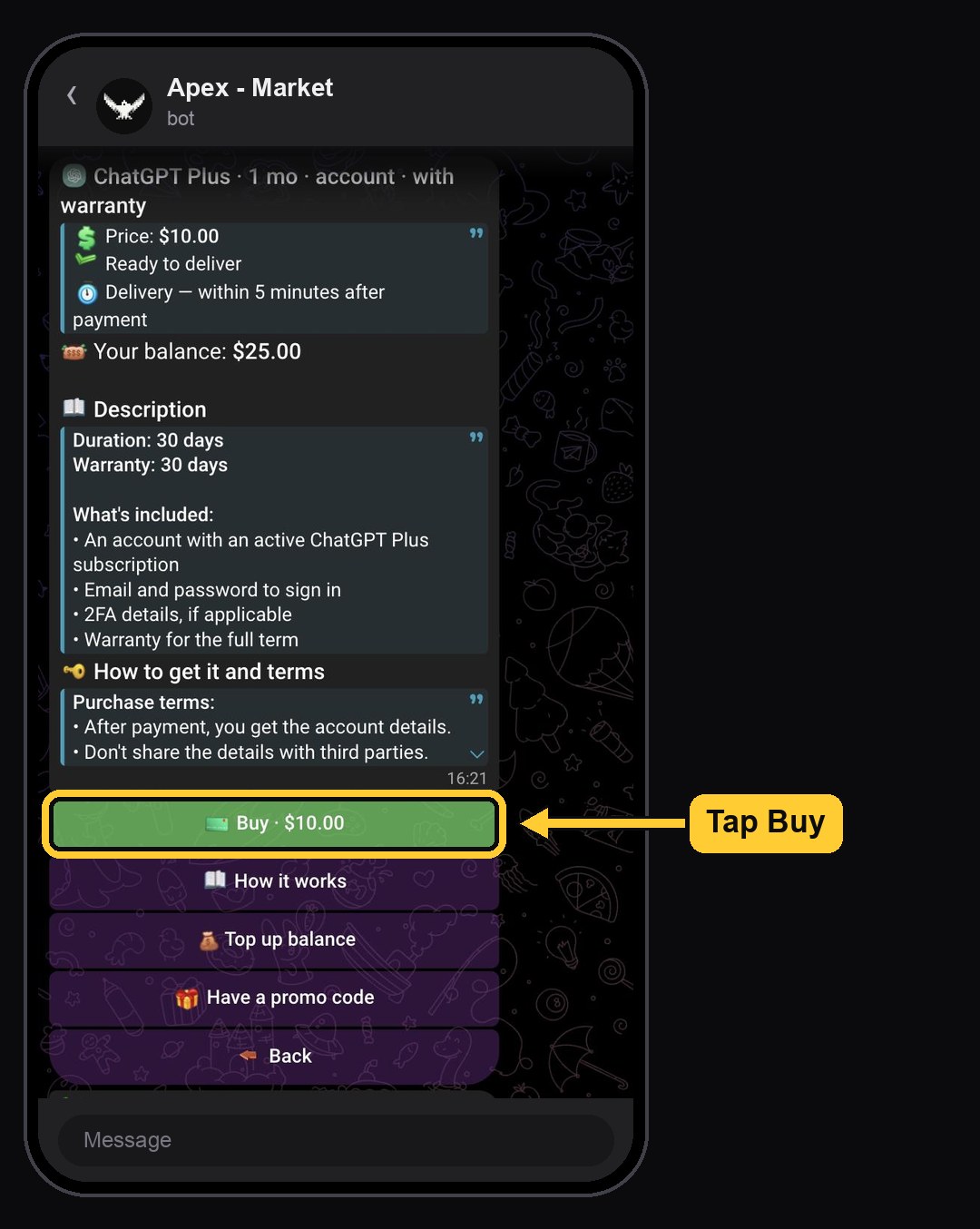
- Open the Catalog and pick a product. Under the card: what's included, the terms and the warranty.
- Got a promo code, tap Have a promo code before you buy.
- Tap the green Buy button. The price comes off your balance.
4. Get your order
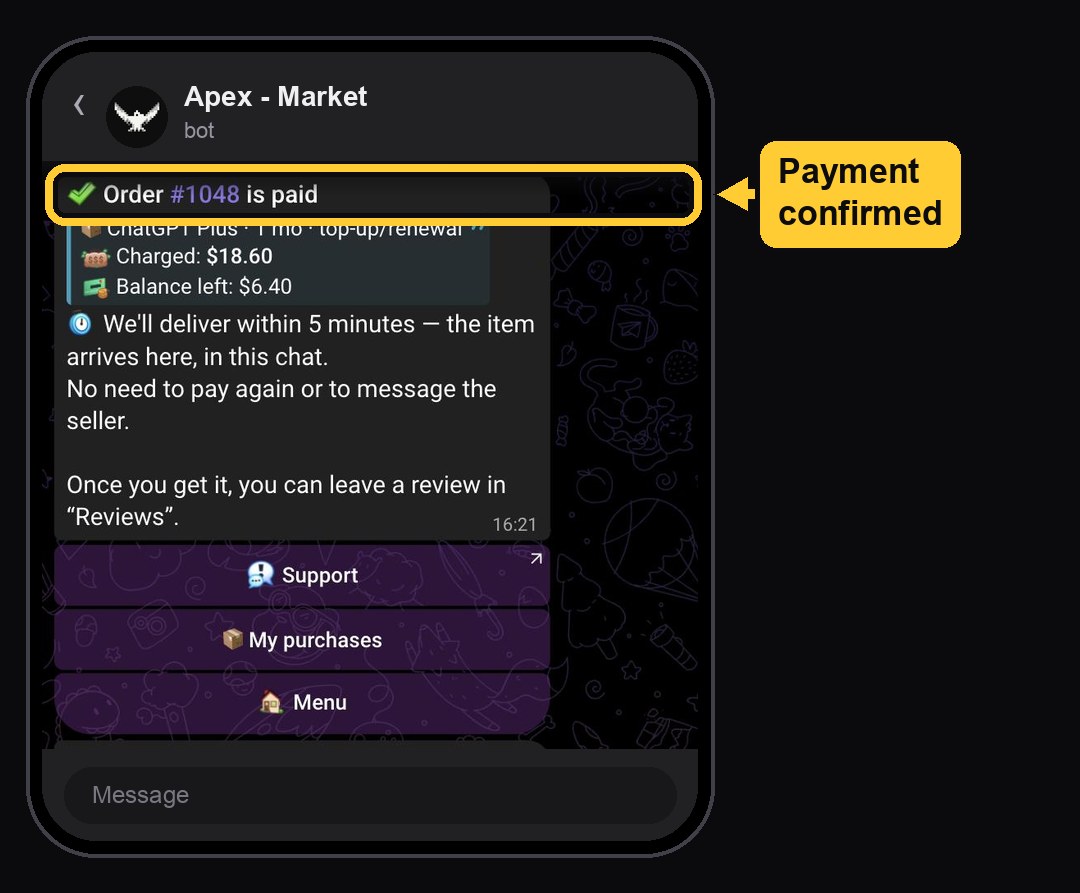
The bot confirms the payment right away. The item arrives right here in the chat within 5 minutes. If delivery needs your details (a subscription renewal, say), the admin writes in this same chat: just reply to that message.
Every order is kept under My purchases: you can open the details again there and write about the order.
Buying on the website
On apexmarket.org it's the same: sign in with Telegram, top up and buy. The item lands in the order chat on the site, with a ping in the bot.
If something's off
- Money sent but no balance after 15 minutes: write to support @Volarchik with the transaction hash or a screenshot of the transfer.
- The item didn't arrive in 5 minutes or doesn't work: write to support with the order number (it's under My purchases) and a screenshot of the error.
- Don't change anything in the account until support answers: that makes the warranty fix easier.