1. Sort out the order details
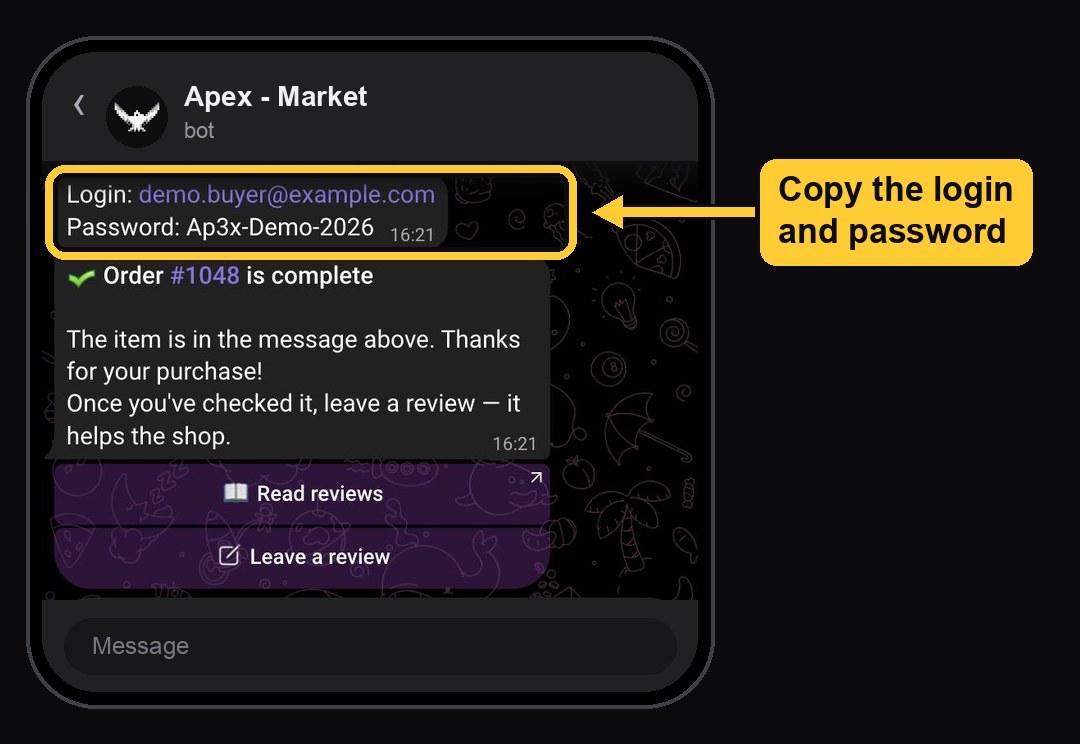
The order message has:
- Email: your ChatGPT login. You don't need to open it as a mailbox.
- Password: for signing in to ChatGPT.
- 2FA key (if any): a long string of Latin letters and digits. It's what gives you the 6-digit sign-in codes.
If it came as one line split with | (like email|password|key), copy each part on its own, without the bar or spaces at the ends.
2. Sign in to ChatGPT
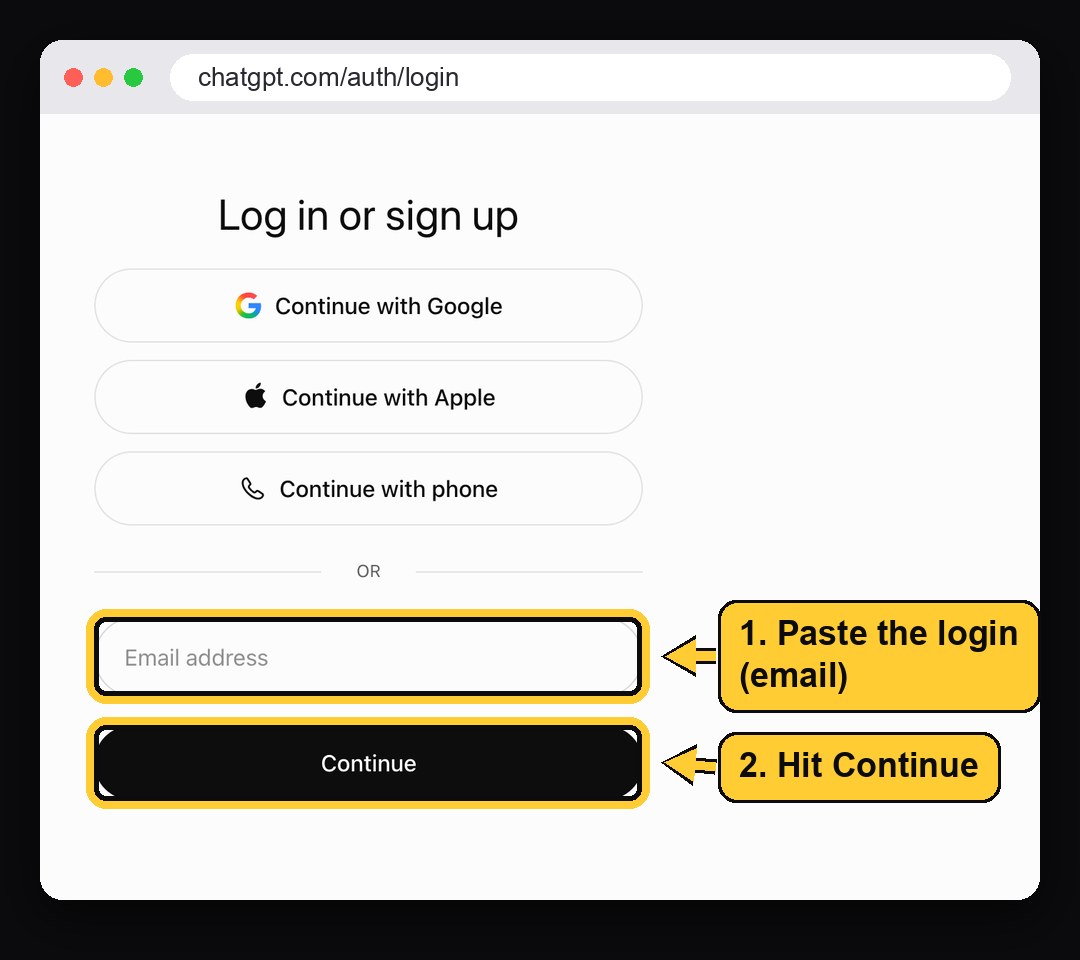
- Open chatgpt.com. Already signed in to your own account, sign out first (or use a private window).
- Tap Log in.
- Paste the email and hit Continue.
- Paste the password and hit Continue again.
Sign in with the email and password. The Continue with Google / Apple / Microsoft buttons won't work here.
3. Enter the 2FA code (if ChatGPT asks)
The code changes every 30 seconds; an authenticator app makes it from your key:
- Install Google Authenticator or any code app (Microsoft Authenticator, 2FAS, Aegis).
- Tap + → Enter a setup key.
- Any name, say
ChatGPT. Paste the 2FA key from the order into the key field. Type: time-based. - The app shows 6 digits. Enter them in ChatGPT.
The key stays in the app: next time you sign in the code is right there. Keep the order message too; it's also under My purchases.
4. Check the plan
Tap the account name at the bottom left: it should say Plus under it. The details are in Settings → Account.
It works on any device: the browser and the iPhone, Android, Mac and Windows apps. Sign in the same way, with the email, password and code.
Don'ts
- Don't change the email, password or 2FA settings without asking support.
- Don't share the details with anyone.
- Don't delete the account or cancel the plan.
Any of these voids the warranty. The warranty term is in the product description.
If it doesn't work
- "Wrong password": copy the password again, no spaces at the start or end. Check your keyboard layout.
- The 2FA code is rejected: make sure your phone's time is set automatically, then enter a fresh code before it changes.
- ChatGPT asks to verify a phone number (happens in Codex): write to support, we'll help.
- It says Free under the name: refresh the page, sign out and in again. Still Free, write to support.
Write to support @Volarchik with the order number and a screenshot of the error; we answer within minutes.