1. What's in the order
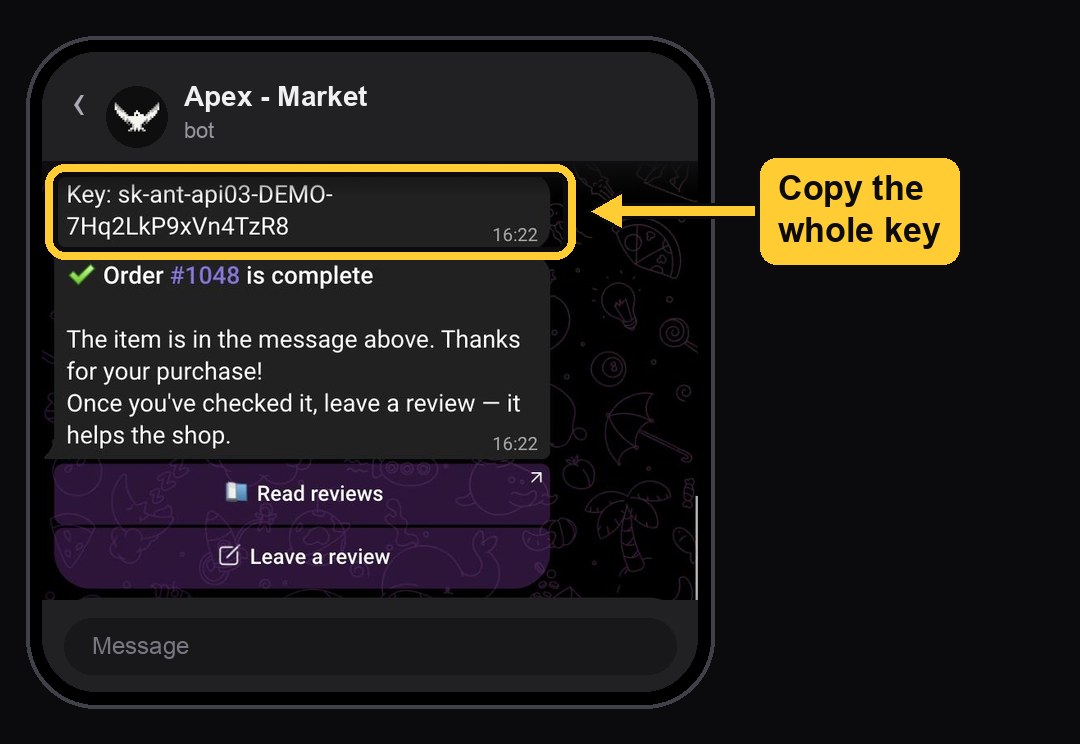
- The key: a long string, usually starting with
sk-. - The API address (base URL): if there is one, you need it to connect.
2. Install Codex CLI
You need Node.js 18 or newer. In a terminal:
npm install -g @openai/codex
3. Put the key in
macOS and Linux:
echo 'export OPENAI_API_KEY="your-key"' >> ~/.zshrc
source ~/.zshrc
Windows (PowerShell):
setx OPENAI_API_KEY "your-key"
After setx, open the terminal again.
4. If the order has an API address
Open ~/.codex/config.toml (on Windows %USERPROFILE%\.codex\config.toml; no file or folder, create it) and add:
model_provider = "apex"

[model_providers.apex]
name = "Apex"
base_url = "address-from-the-order"
env_key = "OPENAI_API_KEY"
No address in the order, skip this step.
5. Run it
Open a terminal in your project folder and run codex. If Codex offers to sign in with ChatGPT, pick the API key option. Give it a task, like "explain what this project does".
OPENAI_API_KEY and the provider from config.toml.Warranty
The warranty term is in the product description (usually 1–2 days). If the key stops working within it, write to support with the order number and we replace the key. A used-up limit isn't a warranty case. Check the key as soon as you get it.
Errors and what to do
- 401 / Incorrect API key: the key was copied partly. Copy it again, no spaces.
- Codex still wants a ChatGPT sign-in: check that a new terminal window sees
OPENAI_API_KEY:echo $OPENAI_API_KEY. - 404 / model not found: check
base_urlinconfig.toml. - 429 / quota: the token limit ran out or too many requests. Wait a minute; if the limit is used up, you need a new key.
Still stuck, write to support @Volarchik: the order number and the error text.