1. Get the account ready before you buy
This matters: skip it and the renewal may not go through.
- No active subscription through the App Store or Google Play. Check in your phone's settings under Subscriptions. If there is one, wait for it to run out.
- You're not in a workspace / Team. In ChatGPT, tap the name at the bottom left: if a company workspace is picked, switch to your personal account.
- You know which account you'll give the details of. The email you sign in to the service with.
2. Buy the renewal
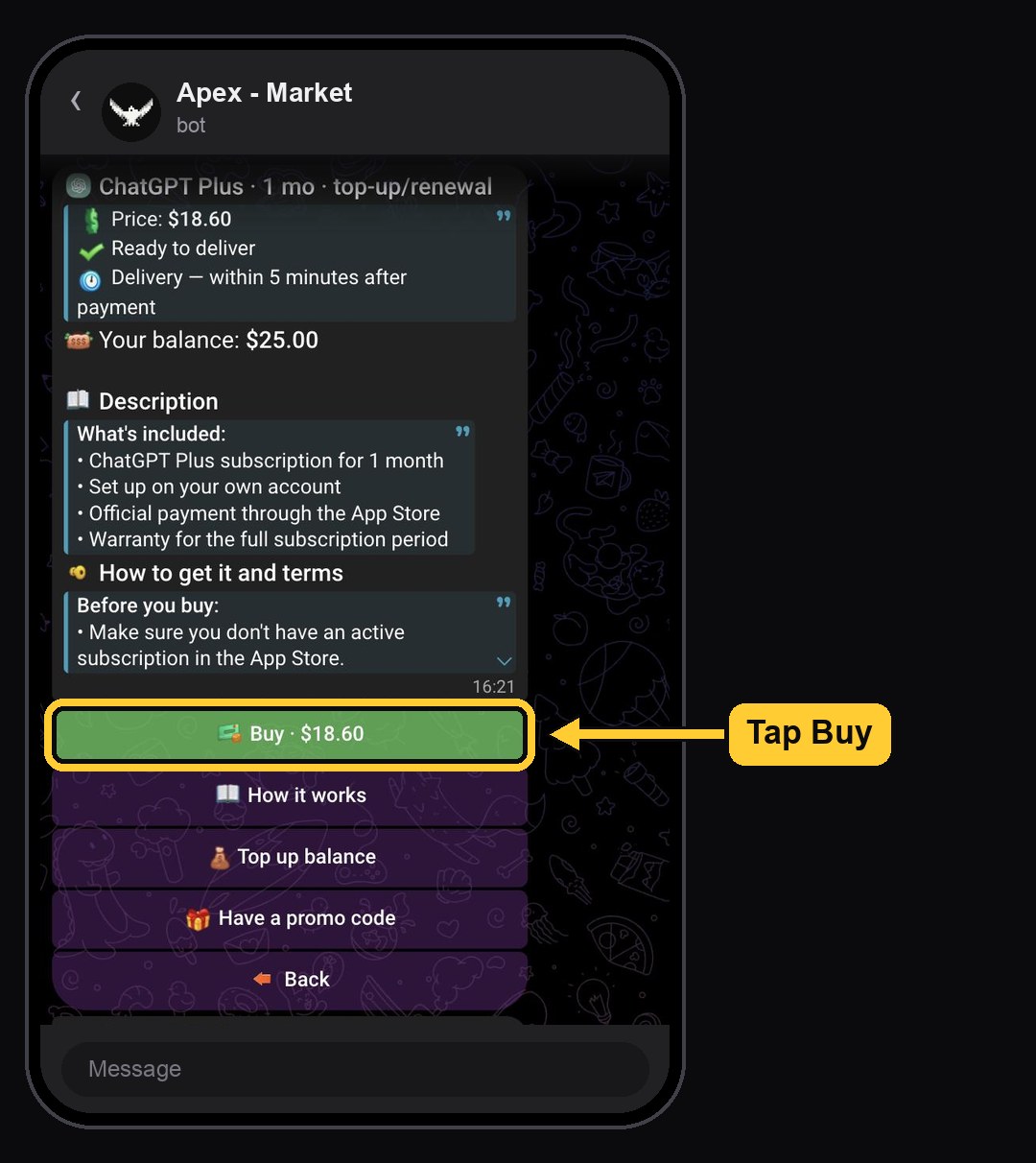
Tap the green Buy button on the product card. The price comes off your balance.
3. Reply to the admin
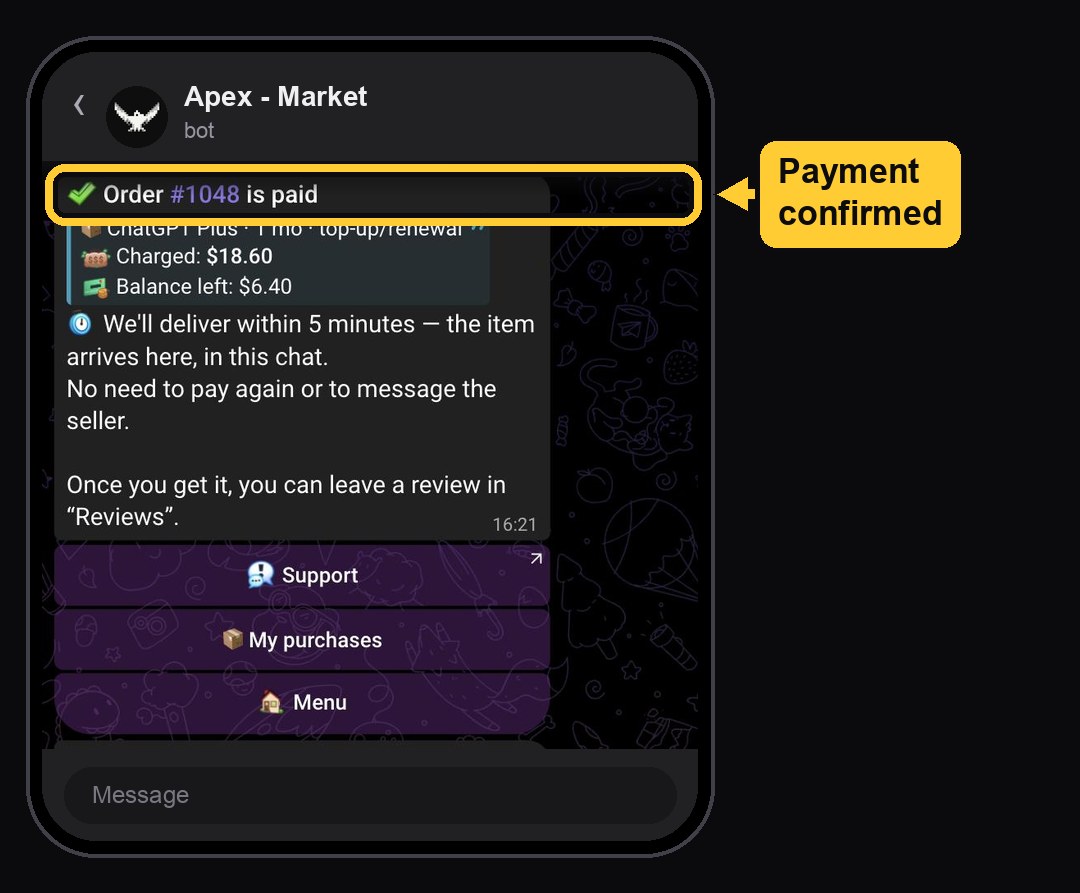
After the payment the admin writes to you in this same order chat and asks for the details needed. Reply to that message.
Only send order details in the order chat, in @apexmrkt_bot or on the website. If someone DMs you "from the shop", it isn't us.
4. Wait for the confirmation
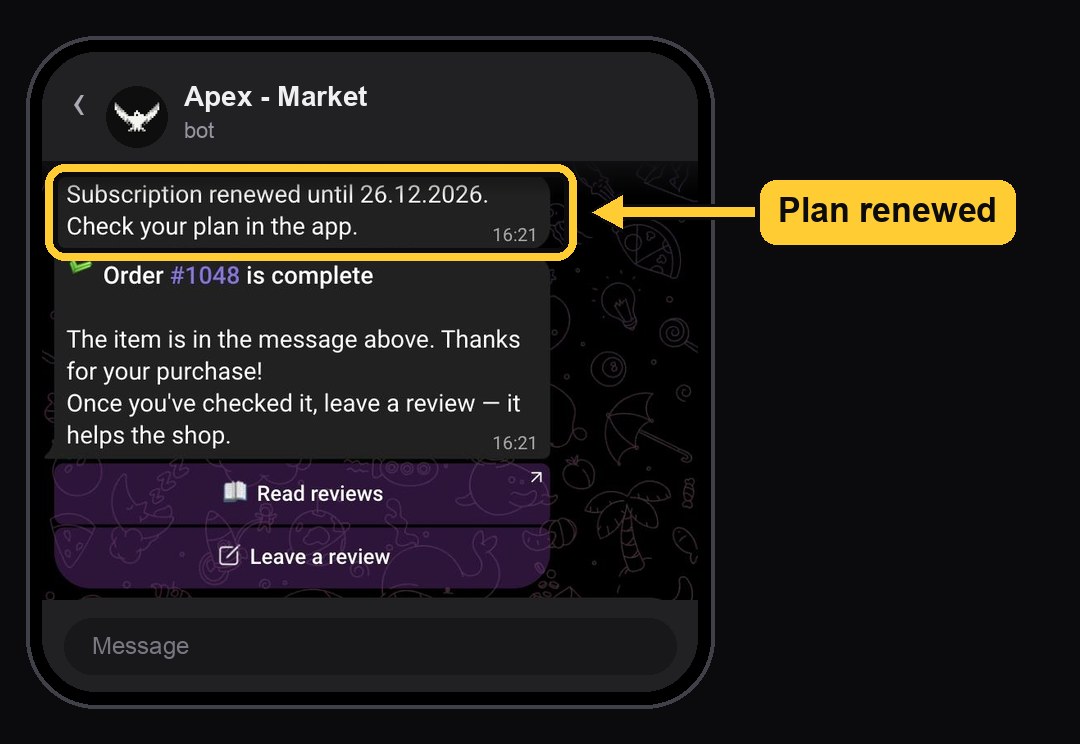
It takes up to 5 minutes after you've sent the details. You get the renewal message and "Order completed".
5. Check the plan
Refresh the page or restart the app, then:
- ChatGPT: chatgpt.com, the name at the bottom left says Plus / Pro / Go under it. Details: Settings → Account.
- Claude: claude.ai, the name at the bottom left → Settings → Billing shows Pro or Max.
- Grok: grok.com, your avatar → Settings → Subscription.
Warranty
The warranty covers the whole term of the plan. If it ends early through no fault of yours, we restore it or refund the days left.
If it doesn't work
- The plan didn't change: sign out and in again, and check that your personal account is picked, not a workspace.
- The service says you already have a plan: most likely an old App Store or Google Play subscription is still on. Write in the order chat.
- No answer from the admin in 10 minutes: write to support @Volarchik with the order number.